Your social wall, built for reactions

Let visitors like and vote on posts without ever leaving your wall
Trusted by 9,000+ brands worldwide
brands that love walls.io

Why it works

People stay on your wall

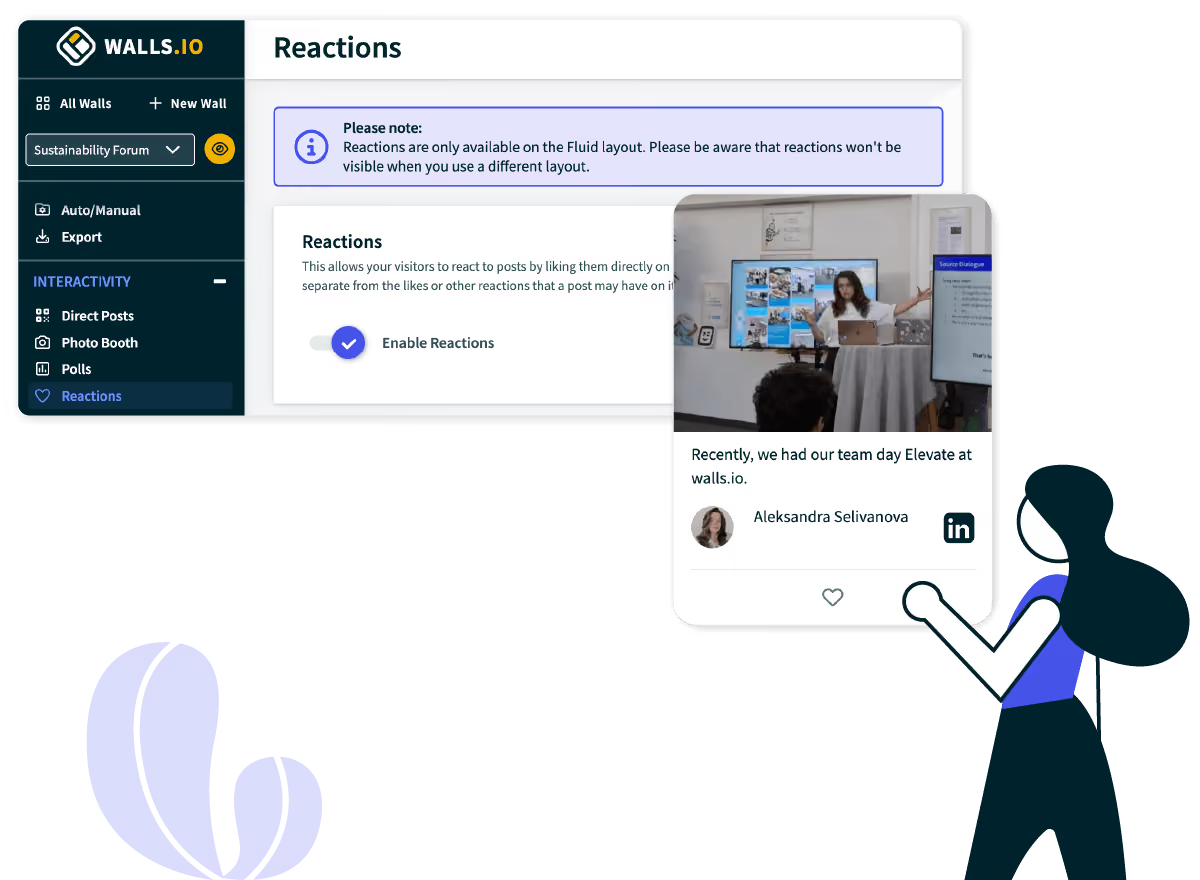
A visitor who wants to like a post doesn't need to open Instagram to do it. They just tap the heart, right there on your feed.

Track preferences

Every reaction is a small, honest signal. Track which posts get the most likes and you'll know exactly what your community prefers.

Start conversations

A feed nobody can respond to reads like a broadcast. Add Reactions and visitors start participating.

What it can do

One-click reactions

Visitors like a post with a single tap. No account, no login, no extra steps.

A social wall feed shows Swat.io posts about social listening and social media management, with a cursor hovering over a like reaction icon.

Built-in contest voting

Ask people to submit photos, videos, or posts, then let the wall crown a winner by reaction count.
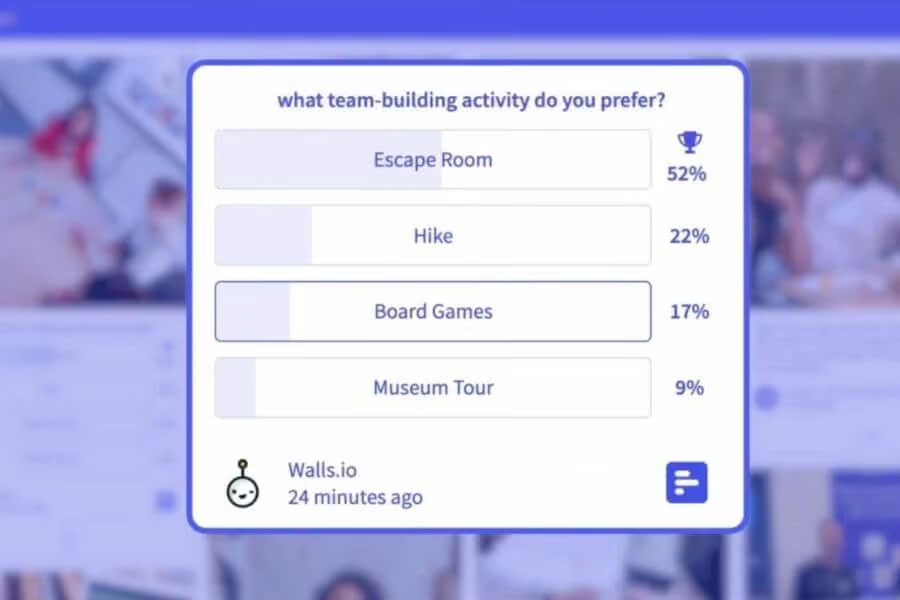
A poll widget on a social wall asks "What team-building activity do you prefer?" with Escape Room leading at 52%, followed by Hike, Board Games, and Museum Tour.

Wall-only reaction counts

Likes on your wall are tracked separately from likes on the post's home network, so the numbers reflect your audience.
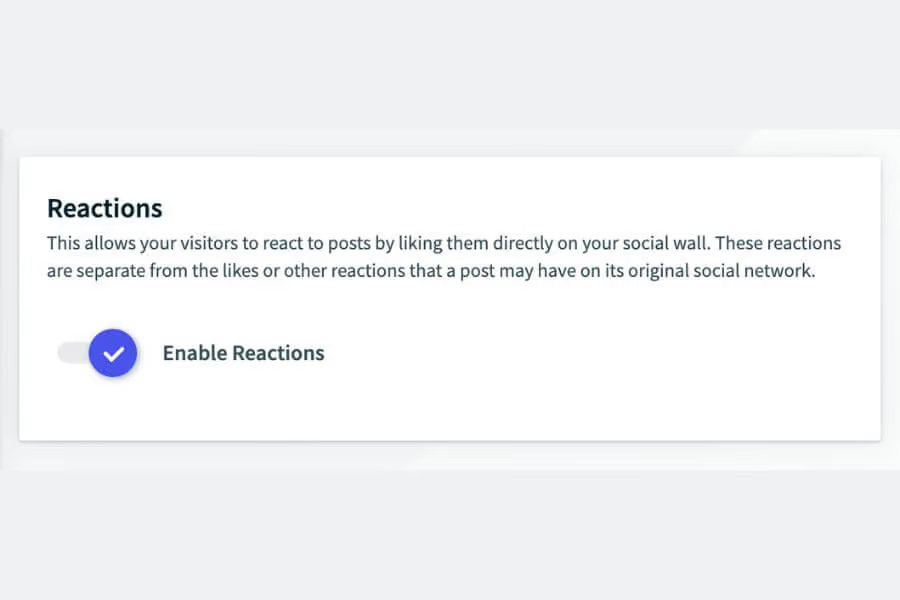
A settings panel shows a toggle labeled "Enable Reactions" under the "Reactions" section, allowing visitors to like posts on a social wall.

Live updates

Reaction counts update as they happen, so the energy of a live event shows up in real time.

A branded social wall layout displays a mix of poll widgets, social media posts, and QR code with the label "brand layout."

Works on every screen

Reactions display the same way on a website embed, an event display, or digital signage.
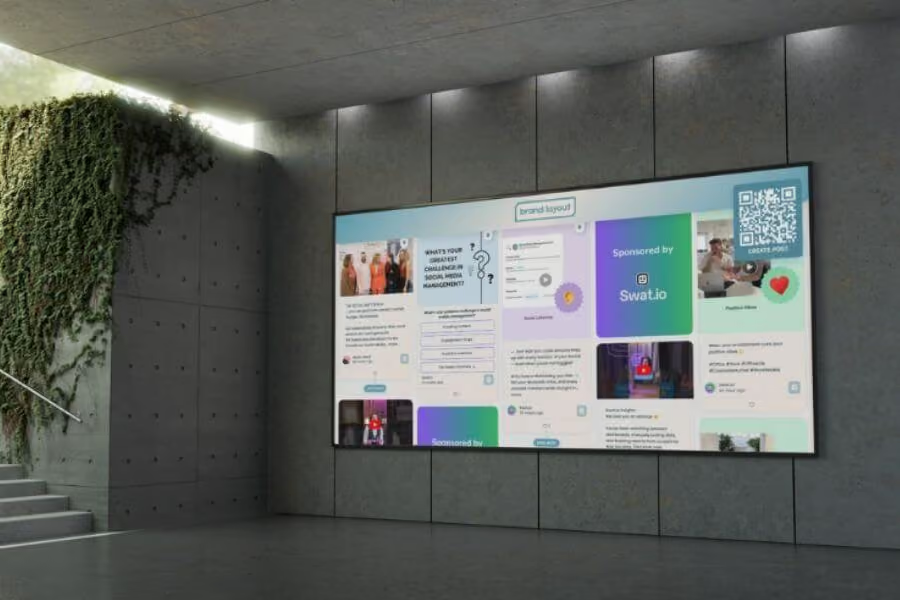
A large wall-mounted screen in a modern office displays a branded social wall with polls, sponsored content, and a QR code for creating posts.

Pairs with CTA buttons

Add a Call-to-Action button next to a popular post so people who like it can go straight to a product page or event listing.

A social wall feed shows Swat.io posts about social listening and social media management, with a cursor hovering over a "Read More" button.

Trusted by teams worldwide

How it works

Step 1

Turn on Reactions

Step 2

Add CTA buttons

Step 3

Let visitors react

Step 4

Watch what performs

Why choose Walls.io

GDPR & CCPA compliant, and built with 2FA and cookie-free architecture from day one.

Walls are screen-reader friendly and meet WCAG standards, so every audience member can engage without barriers.

Connect to your existing tech stack via API, Zapier, and native integrations with complete control and advanced features.

One platform for events, websites, screens, and internal comms — no need to switch tools as your needs evolve — truly all in one social media in one platform.

Aggregate content from 14+ platforms, including X, Instagram, TikTok, LinkedIn, and YouTube , in a single live feed that unifies all your social feeds.

And we boast a full feature stack
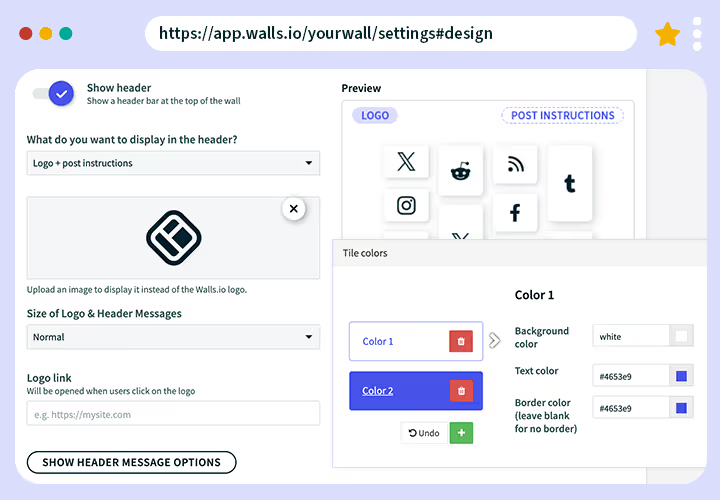
Screenshot of the Walls.io design settings page where users can customize header elements, upload logos, and change tile colors. The preview section shows color options and layout examples.

Custom branding

Our user-friendly design editor lets you add custom colors and headers to your wall. Though customizable CSS options are available, no coding skills are required.

Learn More
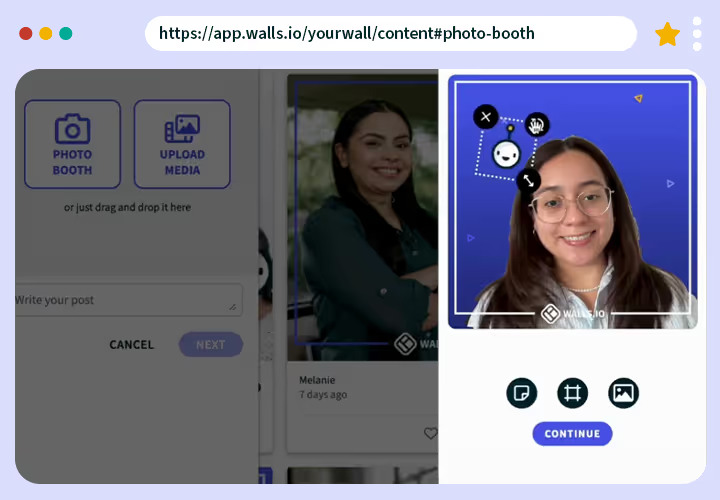
Screenshot of the Walls.io Photo Booth feature showing a user taking a selfie within the app. Options to upload media or write a post appear on the left side.

Digital photo booth 

Walls.io Lens is a digital photo booth that lets your audience post selfies and gifs directly to your wall with branded stickers and frames. Collect leads via these posts.

Learn More
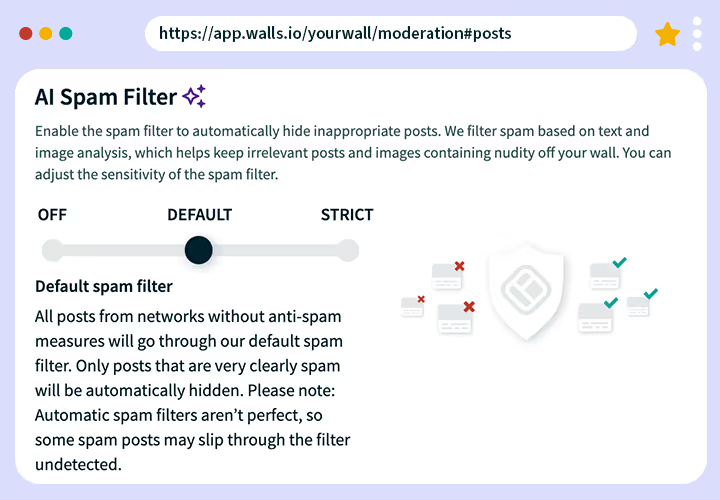
Screenshot of the Walls.io AI Spam Filter settings. The interface allows toggling between “Off,” “Default,” and “Strict” spam filtering modes with an explanation of each.

Moderation

We offer manual and automatic content approval, unlimited social wall moderators, keyword filters, and AI-powered spam filtering for images and text.

Learn More
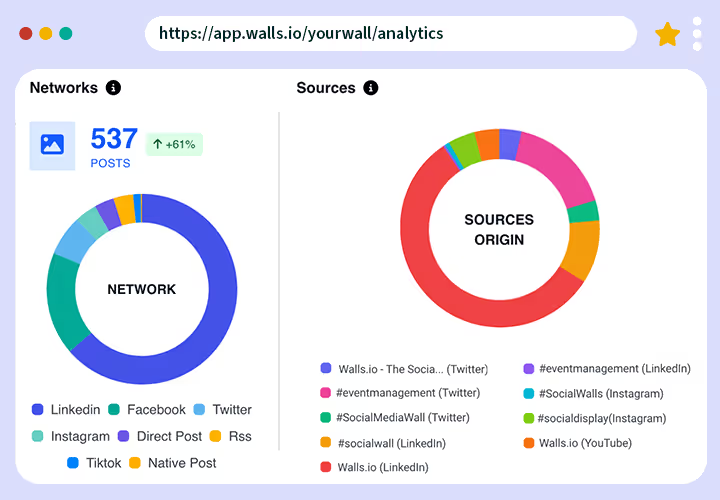
Analytics dashboard from Walls.io showing social media performance. On the left, a “Networks” donut chart displays 537 posts with a +61% increase, broken down by LinkedIn, Facebook, Twitter, Instagram, Direct Post, RSS, TikTok, and Native Post. On the right, a “Sources Origin” donut chart shows the distribution of content sources, including Walls.io, event management hashtags, and social media walls across platforms such as LinkedIn, Twitter, Instagram, and YouTube.

Analytics

Use our built-in tracking features to spot ROI and optimize future campaigns. Analyze sources, hashtags, networks, traffic, and brand sentiment.

Learn More
Photo of a person holding a smartphone and posting content on Instagram, with a Walls.io social wall visible on a computer screen in the background.

Direct Posts

Let people upload photos, videos and messages directly. Users can easily submit their posts by clicking a button or scanning a QR code on the wall.

Learn More
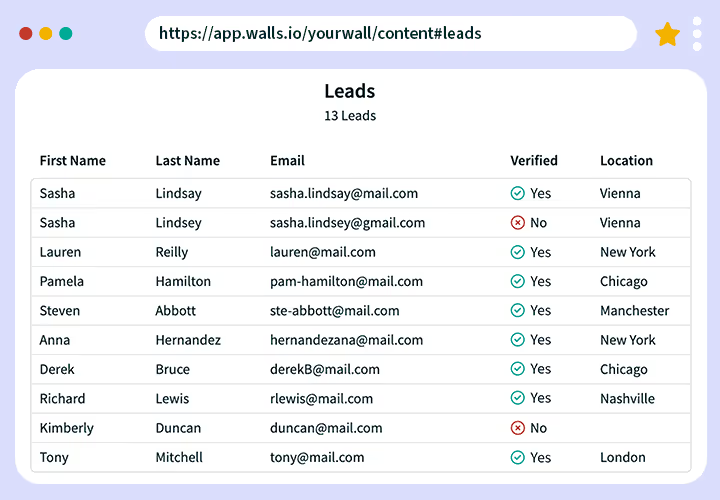
Screenshot of a Walls.io leads table showing users’ first and last names, emails, verification status, and locations. Example data includes names like Sasha Lindsay and Pamela Hamilton.

Lead Generation

Collect leads and user-generated content in one go. Leads generated via Photo Booth and Direct Posts can be downloaded in a .csv or .xlsx format.

Learn More
Screenshot of a social wall showing multiple posts about accessibility and inclusion, including topics like Disability Pride Month and Accessibility Week. A gold VPAT accessibility badge appears in the upper-right corner.

Accessibility

Walls.io conforms to the W3C’s Web Content Accessibility Guidelines (WCAG) 2.1. We can provide a VPAT (Voluntary Product Accessibility Template) upon request.

Learn More
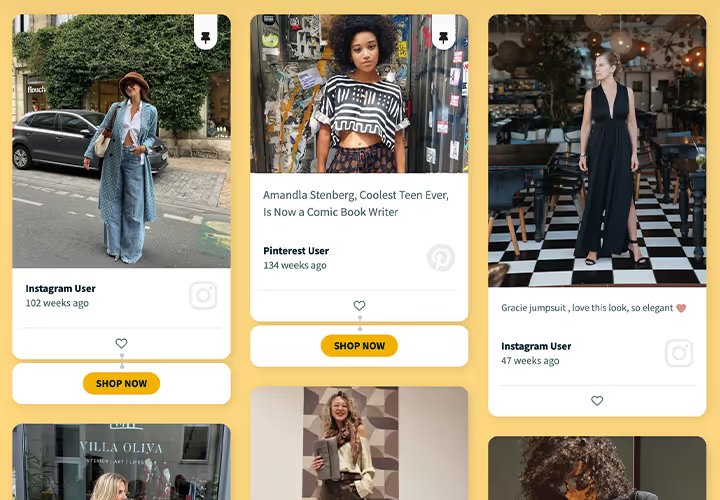
Example of a shoppable social wall displaying fashion posts from Instagram and Pinterest users, each with “Shop Now” buttons below the tiles on a yellow background.

CTA Buttons

Turn content into conversions with Call-to-Action Buttons. Posts with CTAs can be pinned to the top of your wall for greater visibility.

Learn More
Screenshot of the Walls.io poll creation interface where a user is setting up a question about favorite team-building activities. On the right, a preview shows poll results in progress.

Live Polls

Drive engagement and encourage people to voice their opinions with live polls. With our easy setup, you can facilitate contests, break the ice at meetings, and collect data.

Learn More
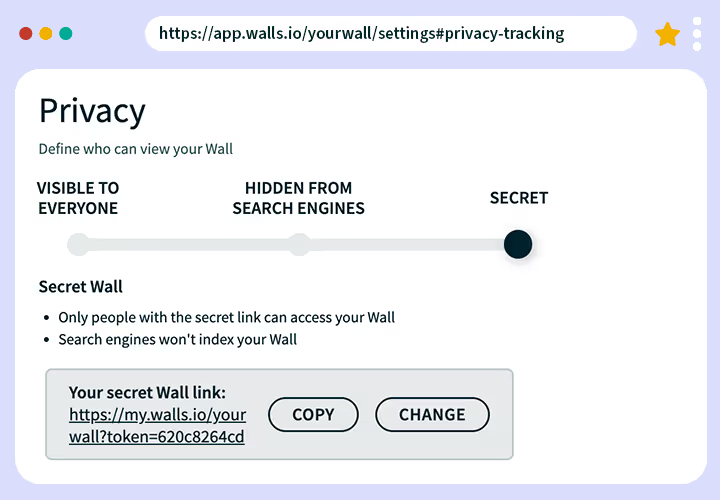
Screenshot of the Walls.io privacy settings page showing options for wall visibility: visible to everyone, hidden from search engines, or secret. The “Secret” option is selected, displaying a copyable private link.

Privacy and Security

Lock in the most secure social wall supporting 2FA and complying with EU & US/Californian data protection laws (GDPR and CCPA).

Learn More
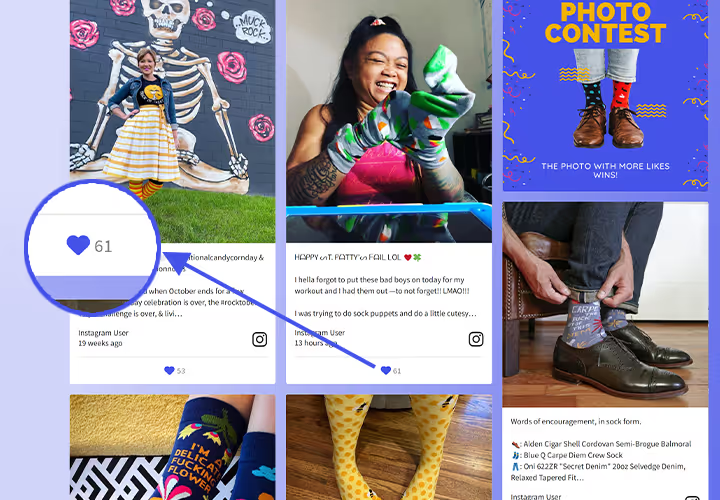
Screenshot of a Walls.io photo contest wall featuring colorful sock photos. One tile shows a magnified heart icon with 61 likes highlighted.

Reactions

Make your social walls interactive with Reactions. Visitors can like posts and show their opinion directly on your social wall.

Learn More
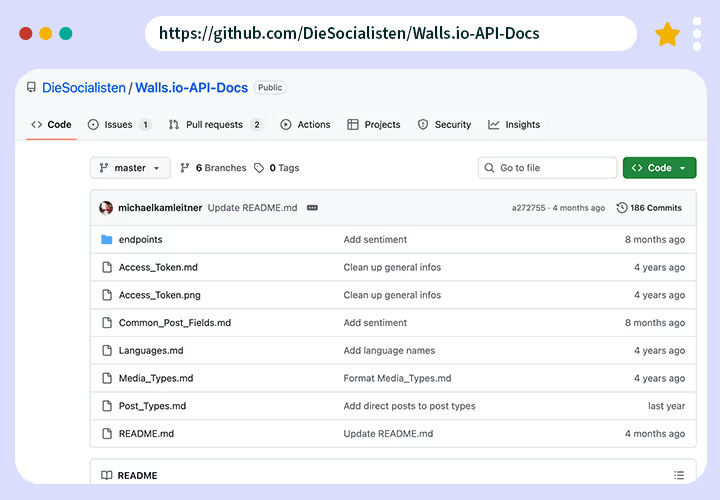
Screenshot of the Walls.io API documentation repository on GitHub showing files such as Access_Token.md, Post_Types.md, and README.md in the main directory.

Social Wall API

Use our HTTP/REST-API to interface with multiple networks and tools. If you want to build your own social wall solution, this is a time saver for your development team.

Learn More
Screenshot of the Walls.io Sponsored Posts feature showing options to enable sponsored posts and set display frequency, alongside examples of promotional tiles like giveaways and ads.

Sponsored Posts

Generate revenue with recurring Sponsored Posts. Feature your sponsors and partners on a social media wall at events, shops or websites.

Learn More
Screenshot of the WordPress editor displaying the Walls.io block plugin for embedding a social wall, with fields to enter the wall URL and an “Embed” button.

Wordpress Plugin

Walls.io has a ready-made plugin for Wordpress, allowing you to easily embed it across your Wordpress sites. All it takes is a quick plugin installation and activation.

Learn More