How do I set up a live social media wall for an event?
Quick Answer
A social media wall for events is a live display of social media posts, photos, and messages from attendees. These are shown on screens at your venue or on your event website. To set one up, you just need to create a wall, connect your sources (a hashtag, profile, or direct post), configure your display, and go live.

What is a social media wall for events?
A social media wall for events is a selection of real-time social content that is shown during (and after) your event. It pulls posts from social media sites like Instagram, X (Twitter), and LinkedIn. These posts can be based on a hashtag, account handle, or keyword. The posts can be displayed on a screen at a venue, on your event website, or on both websites at the same time.
The reason event planners use one is simple: when people attending an event post with your event hashtag and see it appear on the main screen within seconds, they keep posting. When people take part in a meeting, it makes everyone feel good. Events without it tend to feel boring, even when the content is good.
A live social media wall for events also gives you a stream of real content you own after the event ends, including real photos and reactions from real people. Most teams use this content for months in emails, on social media, and for employer branding.
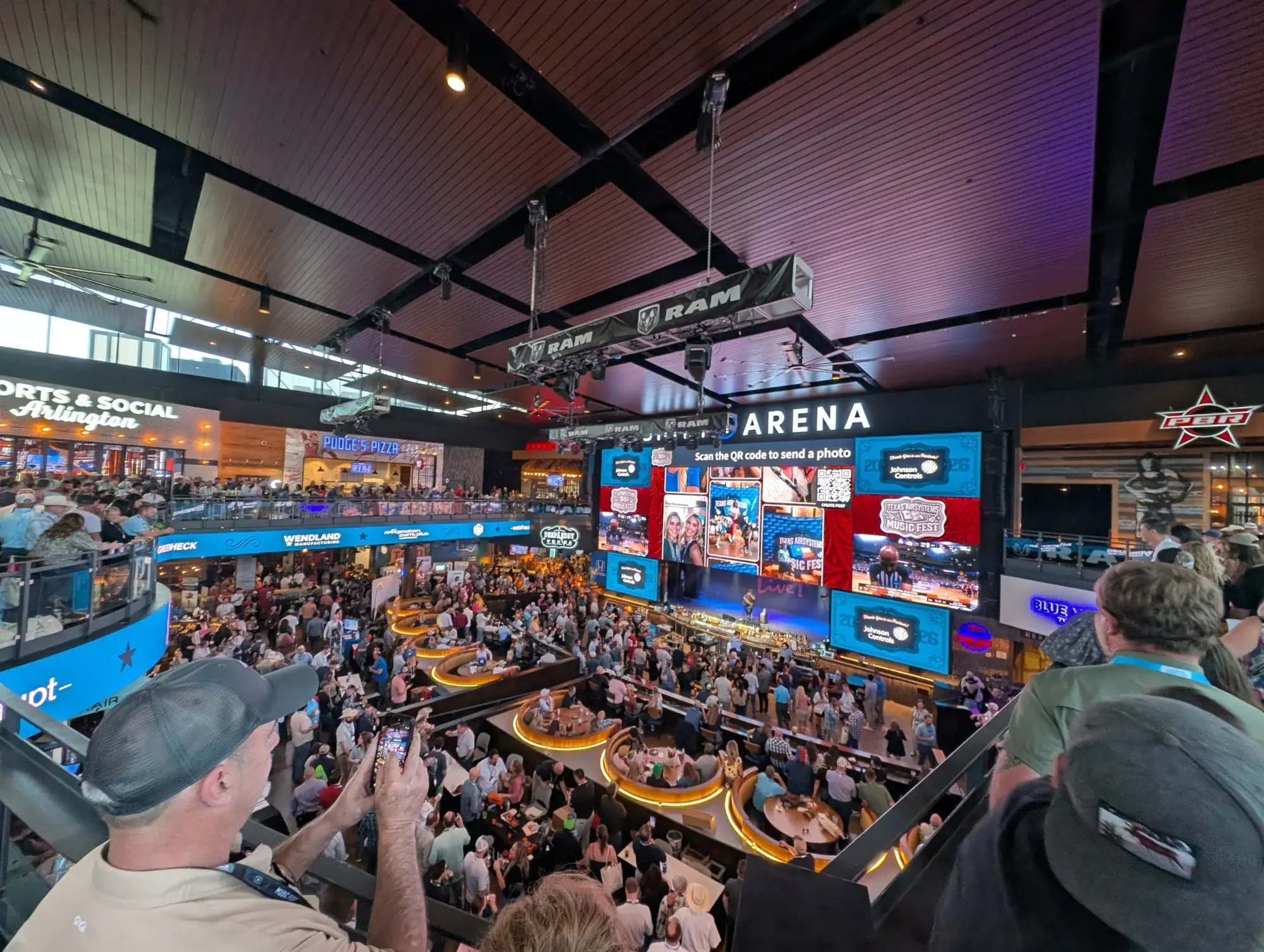
How to set up a live social media wall for your event
Setting up a social media wall for events takes about 15 minutes if you've prepared your content sources in advance (hashtag, account handles, moderation preferences). Here's the process step by step:
- Create a free social wall trial. Go to Walls.io and create a new wall. Give it a name, pick a layout (grid, waterfall, or ticker), and choose a starting theme.
- Connect your content sources. Add the sources you want the wall to display. The most common way to promote events on social media is to use an Instagram hashtag and a Twitter hashtag together. You can also enable Direct Posts, which lets people post content directly on a social wall without having to use social media through the scan of a QR code or via a link. This is important at big company events where lots of people won't post on their own accounts, or just don't have them.
- Set up the moderation. You can choose whether posts go live immediately (post-moderation) or wait in a review queue first (pre-moderation). For important live events where there is a lot of people watching, it is safer to check content in advance. Walls.io's AI Moderation feature uses AI Spam Filters and AI Sentiment Filters to keep your social wall professional and on-brand. These filters automatically remove obvious spam and off-brand content, no matter which mode you choose.
- Set up the design. Make the wall look like you want it to for your event. You can then change the colors, fonts, and backgrounds; add your logo; and include the sponsor's branding if needed. Walls.io's Custom Design lets you change the look of your feed to match your brand. You don't need to know how to code.
- Get the code you need to add the display. Walls.io makes a direct URL that you can open full-screen in a browser on any connected screen, TV, or projector. For your event website or microsite, get the embed code instead. You can run both at the same time.
- Test before the event. Post a test message with your hashtag. Then find it in your moderation queue. Approve it, and confirm that it appears on your display. Do this the day before, not during the opening remarks.
- Make the hashtag easy to see everywhere. Show it on slides, printed signs, and the wall itself. The more visible it is, the more posts you'll get. The more posts there are, the more people want to join in.
What makes a live social media wall work at events?
Many events set up a social wall, but not many people take part. The reason is usually one of these:
- The hashtag isn't easy to see. If people don't know what to post or where to post it, they won't post anything. The hashtag should be on every slide, every piece of signage and on the wall display itself
- There's no obvious reason to post. People post when they see others posting, or when they get something out of it, like recognition, a chance to appear on the main screen, or a prize. A wall that fills up quickly creates a cycle of feedback. A wall that starts empty often stays that way.
- People who don't use social media can't access it. Many people who go to business events don't post about them on their personal social media accounts. If you don't have Direct Posts or a Photo Booth (which takes photos of your audience and adds your brand to them), your audience won't be able to participate. Including both options usually doubles the number of submissions.
- The event didn't include a moderator. It's hard and takes too long to review posts on a phone during a live session. Set up your keyword filters in advance, use AI Moderation to automatically clear spam, and have a plan for who will handle the review queue during busy periods.
- The wall only appears on one screen. Put it on display in different places in the venue, add it to your event website, and use it in your live stream during the breaks. More surfaces means more visibility, which means more posts.
How Walls.io approaches this
Walls.io is designed for events. Your wall can be ready to use in minutes. It can be used on 14+ social platforms at the same time. It can be displayed on screens, websites, and live streams at the same time. With Direct Posts, people who don't have social media accounts can still take part. See how it works →
Brands using social media walls
Google used Walls.io for large-scale hybrid international events, displaying a live social wall on on-site screens and incorporating it into their live stream during breaks between agenda items, making remote and in-person audiences feel part of the same event.
BMW Group Germany set up a social wall for a 500-person internal Working Out Loud conference using the hashtag #BMWWOLCON. Attendees contributed via social media throughout the day, with the wall displayed on a large screen for the full event.
Cisco centralized social media participation for their global Leader Day, connecting 8,000 people across 22 locations and 7 time zones on a single social wall. A map theme showed posts by location, giving attendees a sense of community across the world.
DMEXCO, the annual digital marketing trade fair in Cologne, displayed a social wall on a large central screen at the event entrance and throughout the venue, using it as a visual reminder for attendees to post with the official hashtag.
Resources
→ How Cisco Handles Large-Scale Global Events That Span Multiple Time Zones
→ Social Media for Hybrid Events à la Google
→ A Live Social Media Feed for Events by BMW Group and Walls.io
Related questions
→ What is a social media aggregator?
→ How do I embed a social media feed on a website?
→ What is a social media wall?