An illustration displaying accessibility icons and a person pointing to them

Social wall analytics

Dive into social wall analytics and gain clear insights with real-time data. Use our built-in tracking features to spot ROI and optimize future campaigns.

Trusted by +85.000 brands worldwide
brands that love walls.io

How you benefit from social wall analytics

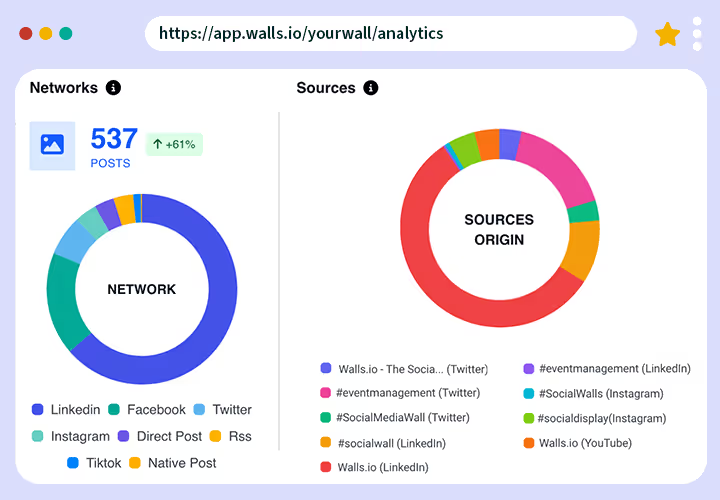
See which social media networks and channels generate the most posts to target these platforms in existing and upcoming campaigns.

Our AI runs sentiment analysis on your posts to give you an impression of how your audience perceives your brand.

#

The Walls.io analytics dashboard allows you to measure the effectiveness of your social wall for campaigns, events, and other company initiatives.

Gather data from your social wall that can be included in your financial reporting. Demonstrate the value of a social wall so it can be invested in future strategies.

Portrait of Liz Morgan, Human Resources Representative, Cisco
Cisco logo

“We had more than 9,000 page views for our Leader Day wall, and we estimate that almost 115,000 people saw #CiscoLeaderDay posts. The day of the broadcast, #CiscoBeat mentions on social media increased 107% from the previous month’s Cisco Beat.”

Liz Morgan, Human Resources Representative at Cisco

Why Walls.io analytics?

Our social wall analytics dashboard presents various metrics. Users can hover over charts to reveal precise numbers and deeper insights, including post volume and types, source platforms, hashtag and profile performance, sentiment, moderation activity, and traffic trends over time.

Detailed reporting

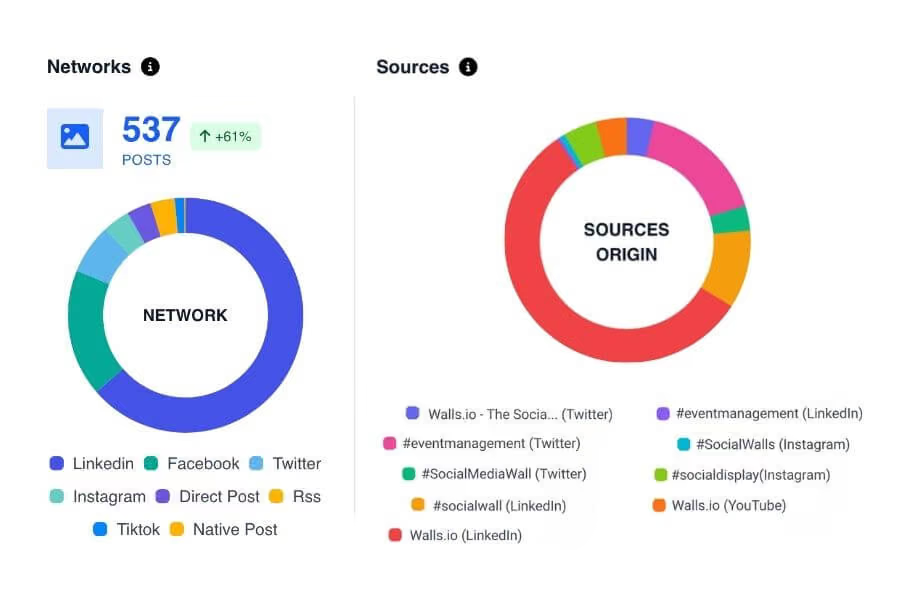
Where other platforms might lump data, Walls.io distinguishes between overall network data and detailed source-level insights. On top of a general overview, see which hashtags, accounts, and profiles drive content.

A screenshot of 2 different graphs that show the breakdown of sources vs. networks.
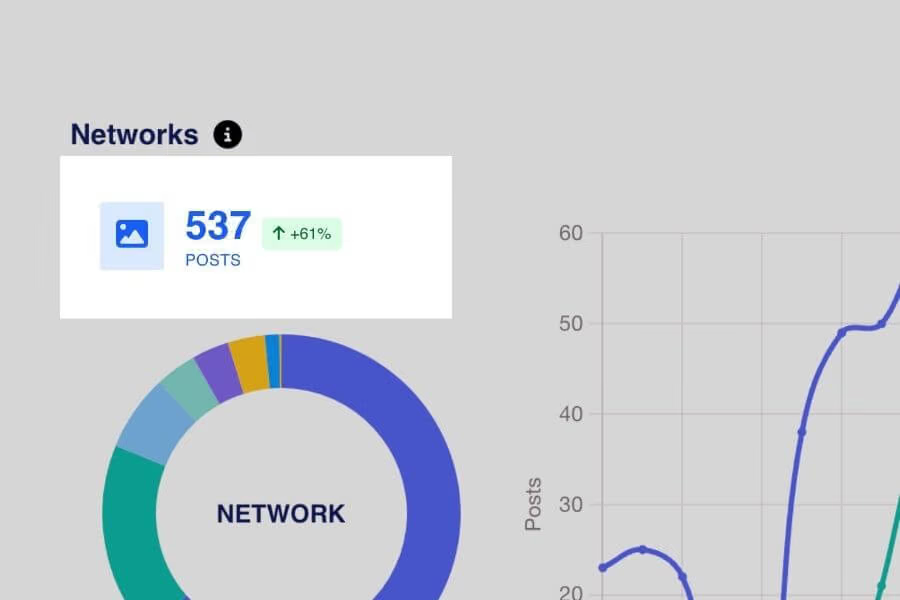
A screenshot that displays a percentage indicator for shift in data.

Trends at a glance

For all charts, our percentage indicator compares your current time frame with the previous matching period. You’ll be able to see shifts in performance and adjust campaigns as needed.
Flexible data visualization

Switch between chart styles with a single click, giving you the flexibility to explore and produce data reports according to your preference and presentation needs.

A screenshot that shows the different displays a user can have for one chart (line, bar, area).
A screenshot that shows the traffic to a user's wall.

Audience overview

Evaluate visits to your wall and where they come from. For organizations displaying the social wall across different websites, this is especially useful to see where you get more traction.

PDF Export

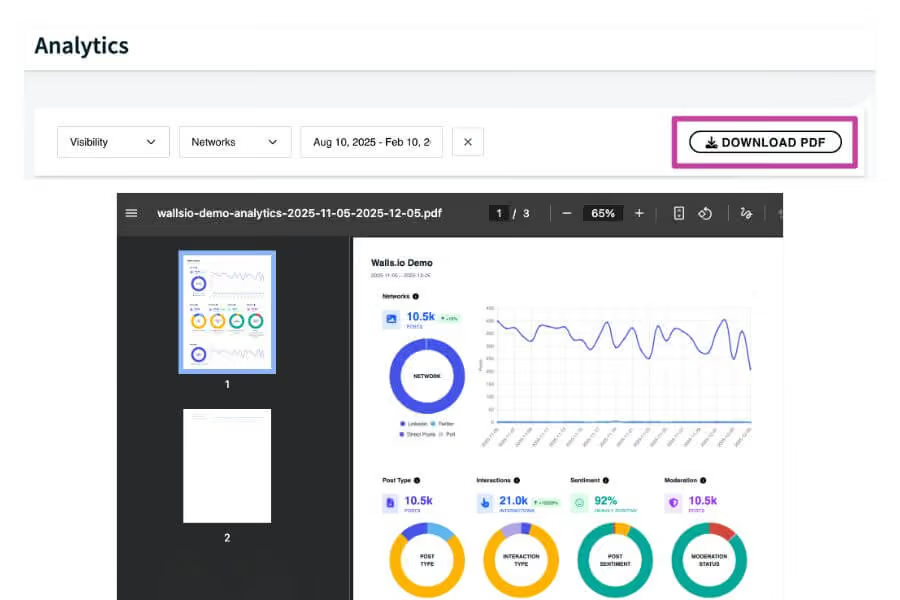
In just one click, you can download all your charts and data into a polished PDF. Share this report with your team and relevant stakeholders.

A screenshot of the downloadable PDF that users can export with all the data charts.
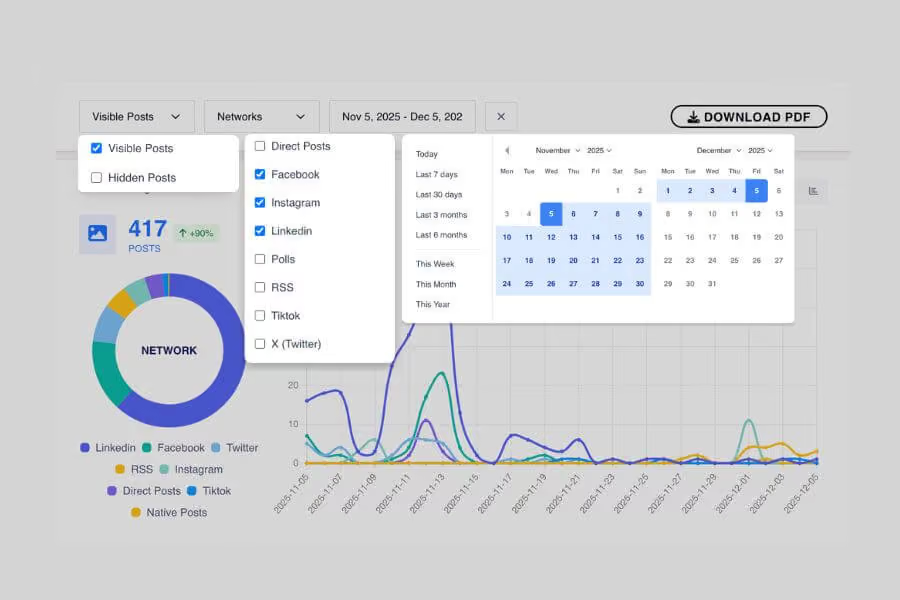
A screenshot that shows the different types of filters a user can apply to their Analytics Dashboard.

Quick filters

Refine your Analytics Dashboard with our various filters. You can filter by date, network type, and visibility of posts.

Start seeing the results of your social wall today

Social wall analytics for post-event reporting

Our customer, Event Options, was the Festival of Eventing’s official registration and tech partner. They turned to for a social wall and pre-event marketing solution (Echo) to deepen engagement at the live conference and increase visibility beforehand. 

The different charts displayed for the Festival of Eventing case study.

Discover their success story on our blog.

Want to start collecting insights for your event before it even begins?

Walls.io Echo is a pre-event marketing tool that can be purchased as an add-on to your social wall. It allows you to create promotional campaigns using branded social media templates that your visitors can share to their networks in just a few clicks.

A screenshot of the Walls.io Echo dashboard displaying campaign analytics. Metrics shown include pageviews, shares, clicks, and a viral boost. Line charts illustrate pageview and share trends over time. Overlaid at the bottom are three colorful event announcement graphics created with Walls.io Echo.

Echo has its own built-in analytics so you can:

  • Measure how many clicks and shares your promotions generated
  • Understand viral boost (the amplification rate e.g. 10x Viral Boost means content reached 10 times beyond its initial audience)
  • Get a list of your top sharers to elevate them as influencers

When paired with a social wall, the social media cards will already fill your wall in advance – boosting anticipation and making your event feel lively from day one. You’ll already be able to see its impact in the Walls.io Analytics Dashboard prior to your event.

Measure impact with social wall analytics and the Walls.io Echo add-on

Luis
Oleksii
Lorenzo
Emil

Interested in these features and need them for your own use case? Book a demo to learn how you can get all the benefits of a social wall plus Walls.io Echo.

Check out more features

Walls.io is committed to providing you all the features you need to collect and display social media content.  Our social media aggregator offers extensive integration capabilities for your marketing team. Take a look at the full list of features. Take a look at the full list of features.